
THE FAMILY LEARNING GUIDE · 2026
Best Language Learning Apps for Kids in 2026
Their school words. Their favorite things.
A whole world of play.
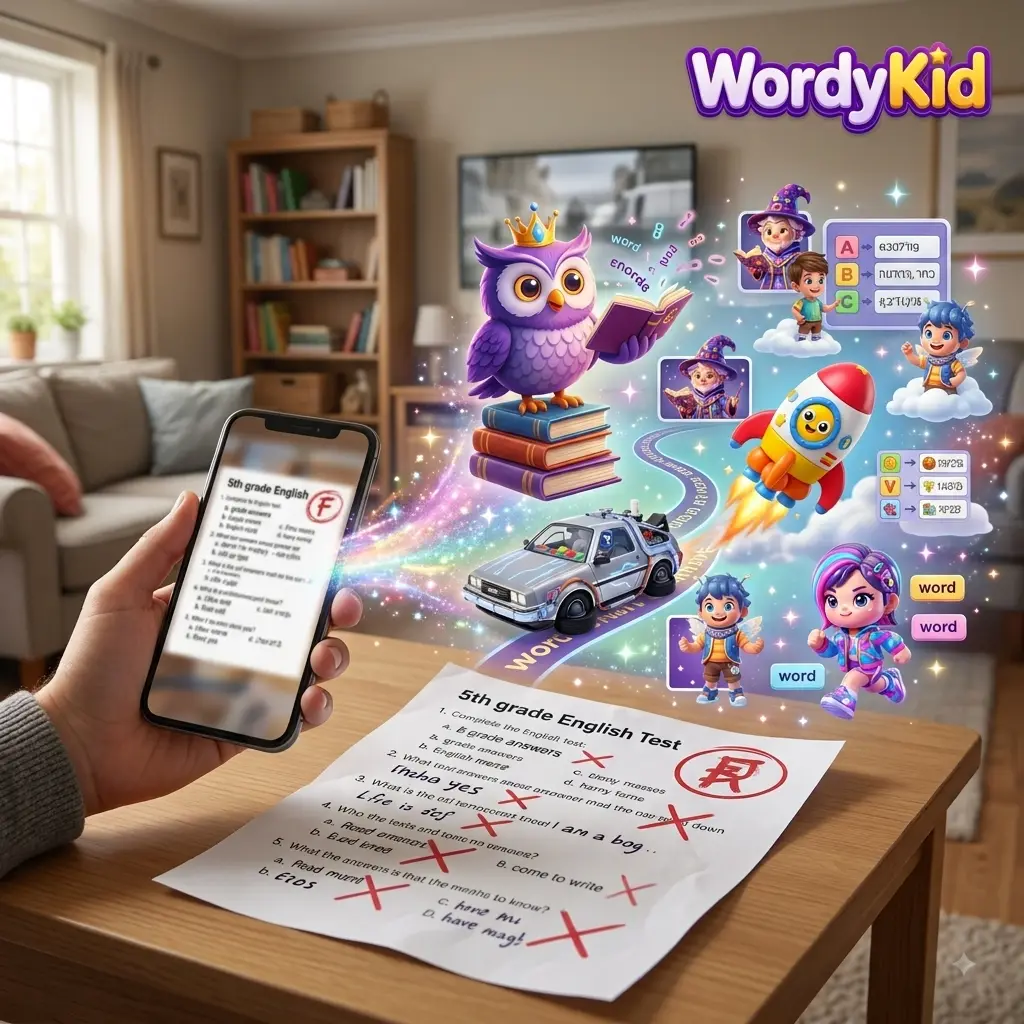
Find the app that fits your child. Start with six honest comparisons, or bring a photo, worksheet or word list to WordyKid and build practice around their world.
Your material → words you review → compatible games
QUICK COMPARISON
Find their kind of learning.
Start with the job you need the app to do. There is no single winner for every child.
THE SIDE-BY-SIDE VIEW
| App | Our suggested fit | Where the words come from | Access & main tradeoff |
|---|---|---|---|
| WordyKidYour own words | School lists & personal vocabulary | Your text or photo → reviewed pack → compatible games | $One-timeGame unlock; AI extra Browser; core games to start. Full access and AI generation have separate limits. Vocabulary practice, not a complete course. |
| Duolingo | A guided daily learning habit | Sequenced language courses | $$$83.99 listedSuper; term not specified Free courses; optional paid tiers. Less direct control over the vocabulary sequence. |
| Studycat | Young beginners & playful speaking | Prepared games, songs & stories | $$$59.99 listedLearn English; term not specified Mobile apps; trial then paid access. VoicePlay currently covers English and Spanish. |
| Lingokids | Early learning through varied activities | Curated games, videos, songs & lessons | $$$74.99/yearAnnual subscription Web & mobile; full catalog needs Plus. Broader than focused language practice. |
| Dinolingo | A children’s program with many language choices | Prepared videos, songs, games & stories | $$$$199/yearAnnual subscription Web & mobile; trial then subscription. Check the particular language course before subscribing. |
| Droplets | Short visual practice for ages 8–17 | Ready-made vocabulary topics | $$$69.99/yearAnnual subscription Mobile app; free & premium options. A vocabulary supplement, not a complete course. |
US price examples checked October 29, 2026. Billing periods and offers differ. Free options may also be available. Tap a price for its source. WordyKid game access is one-time; AI credits are separate.
START WITH THEIR NEXT STEP
What does your child need next?
“We have a word list
for Friday.”
Consider WordyKid for practice built around those specific words.
Personal vocabulary 02“We’re starting
from the beginning.”
Consider Studycat for young beginners, or Dinolingo for a wider language selection.
Prepared lessons & play 03“We need a little
practice every day.”
Consider Duolingo’s course path, or Droplets for short visual vocabulary sessions.
Build a routine 04“We want more
than language.”
Consider Lingokids for early learning across subjects, with language activities included.
Explore through playIf conversation is the main goal: prioritize chances to speak with a teacher, family member or language partner. An app’s vocabulary or speaking exercises are only part of that experience.
WATCH WORDYKID IN ACTION
A little material.
A lot to play with.
Watch how it works: bring a photo, review suggested vocabulary, and explore WordyKid’s learning games.
- Start with their world.Use a photo, a worksheet or your own text.
- You choose the words.Check and edit AI suggestions before approving.
- Give practice a playful setting.Use approved words in compatible games.
THE SIX APPS, UP CLOSE
What each app brings to the table.
FOR THE WORDS THAT MATTER TO YOUR CHILD
WordyKid
A vocabulary practice platform that starts with material from your child’s life. Bring text, a photo or a worksheet; review the suggested words, then use the approved pack in compatible games.
Where it helps
Parents can revisit a school list. Teachers can reinforce class vocabulary. The same approved words can support different compatible game formats, rather than another unrelated lesson.
What to weigh up
You must check AI suggestions. Not every game accepts personal packs, and availability varies by language, level and access. This is not a complete grammar or conversation course. Game access does not automatically include AI credits.
FOR A STRUCTURED DAILY HABIT
Duolingo
A course-led option for learners who want a sequence to follow, with reading, writing, listening and speaking exercises.
Where it helps
Free language courses lower the barrier to starting. A prepared path takes away the daily decision about what to study. Spanish and French are among its course options.
What to weigh up
We would choose it for a course habit rather than direct control over a school word list. Course depth and extras vary. Check the reading demands with your child. The main language app is different from Duolingo ABC, its early literacy app.
FOR YOUNG BEGINNERS & SPEAKING PLAY
Studycat
Playful language apps with prepared activities, songs and stories. Its site says no reading is required and content is appropriate for ages 3 and up.
Where it helps
A strong candidate when a young child needs an inviting first experience. VoicePlay adds speech recognition and feedback in English and Spanish. The product range also includes French, German and Chinese.
What to weigh up
VoicePlay is not currently listed for every language. Choose the specific language app and check its features. Its prepared content is a different fit from choosing an exact school list.
FOR BROADER EARLY LEARNING
Lingokids
A learning and entertainment app for ages 2–8, combining games, songs, videos and lessons across language, literacy, math and other subjects.
Where it helps
Useful when a family wants varied early learning rather than only vocabulary drills. The curriculum lists English learning and Spanish; its English learning path is documented separately.
What to weigh up
That breadth can be less direct if the immediate goal is one language or a particular homework list. Do not assume every activity is language instruction, or that its Spanish content mirrors the English path. Full catalog access requires Plus.
FOR A WIDER CHOICE OF LANGUAGES
Dinolingo
A program for ages 2–14 with videos, songs, games, quizzes and stories. Its site lists 50 languages and family progress tracking.
Where it helps
The language selection makes it worth considering for families whose target language is missing from smaller catalogs. Multiple activity types offer alternatives to a single exercise format.
What to weigh up
The overall catalog size does not establish the depth of any one course. Try the target language with your child, and check that its level and activities fit before subscribing. Prepared immersion activities still need real-life opportunities to use the language.
FOR SHORT VISUAL VOCABULARY PRACTICE
Droplets
The kids’ product from Drops, marketed for ages 8–17. It emphasizes short, visual language activities and lists more than 35 languages.
Where it helps
Consider it for an older child who prefers a compact vocabulary session over a longer lesson. Its ready-made topics provide a starting point without preparing material.
What to weigh up
It is not the preschool option in this comparison. Treat vocabulary practice as a supplement to wider reading, grammar and conversation. Check current store availability and free versus premium limits on your device.
THE WORDYKID DIFFERENCE
Their worksheet.
Their next game.
A course decides what comes next.
Personal practice starts with what matters now.
Imagine an English worksheet about animals. A parent wants another way to revisit dog, cat and bird without copying the same exercise.
- 1
Bring the material
Upload a clear photo of the worksheet, or paste the words or text.
- 2
Make the words yours
AI suggests vocabulary. Check meanings and spelling, edit the list, and approve the pack. Suggestions can be wrong.
- 3
Change the way they practice
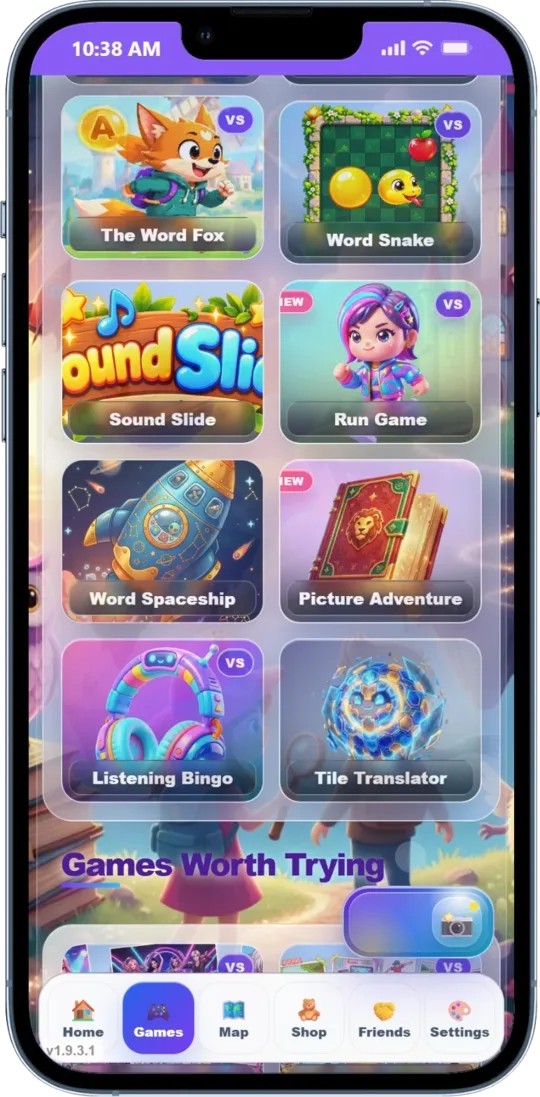
Use the approved words in compatible games, such as Word Match or Memory Match where supported. Check language, level and access in the product.
A Spanish class list with casa, perro, libro. A French worksheet with chat, livre, école. Family words in Hebrew, Arabic or Russian. Choose supported language settings and review every pack; compatibility varies.
Core games can be started without an immediate purchase. Full access and AI generation have separate rules and limits. Check current credits and access before generating.
EXPLORE THE GAMES
BEFORE YOU CHOOSE
A few good questions.
What is the best language learning app for kids?
It depends on the task. Our suggested fits are WordyKid for personal word lists, Duolingo for a course habit, Studycat for young beginners, Lingokids for broader early learning, Dinolingo for language choice, and Droplets for older children’s short visual vocabulary practice. Try the relevant activity with your child before committing.
Which app can use my child’s school words?
WordyKid accepts text or a photo, suggests vocabulary for you to review, and makes an approved pack available to compatible games. We did not verify an equivalent worksheet-to-games flow for the other products in this guide; that is not a claim that they cannot offer one.
Can we practice Spanish or French, not just English?
Yes. WordyKid supports Spanish and French as well as English, Hebrew, Arabic and Russian, with game and feature differences by language. Several other apps here offer Spanish or French too. Check the specific course and features; a language appearing in a catalog does not mean all activities are available.
Is WordyKid free, including AI vocabulary creation?
You can start core games without an immediate purchase. Full game access and AI generation have separate limits and purchase rules. A game-access purchase does not automatically provide AI credits. Check the current access and credit information in the product.
Is a vocabulary game enough to learn a language?
Vocabulary practice can support a larger learning routine, but it is not a complete conversation, grammar or fluency course. Combine it with reading, listening and opportunities to use the language with other people. WordyKid is designed for practice, not as a replacement for all instruction.